LEGO® Builder: 3D Instructions
- 4.8
- Rating
- 10.00M
- Installs
- Free
- Price

 Analysis by App-foxy
Building a LEGO set is usually a hands-on activity, but the instructions do not have to remain a flat booklet on the table. I found LEGO® Builder most useful when I treated it as a flexible workbench for building rather than as a simple digital copy of printed instructions. It helps me keep several builds organized, inspect difficult steps from different angles, and return to a project without covering the table in loose pages.
My overall view is positive, with one important qualification: this is best for people who already have LEGO sets and want a clearer, more manageable way to follow them. It is not a replacement for the physical bricks, and it is not especially valuable if you only want entertainment without building. For families, collectors, and anyone who finds small assembly steps hard to read, it can make the hobby noticeably less frustrating.
How LEGO Builder changes the building routine
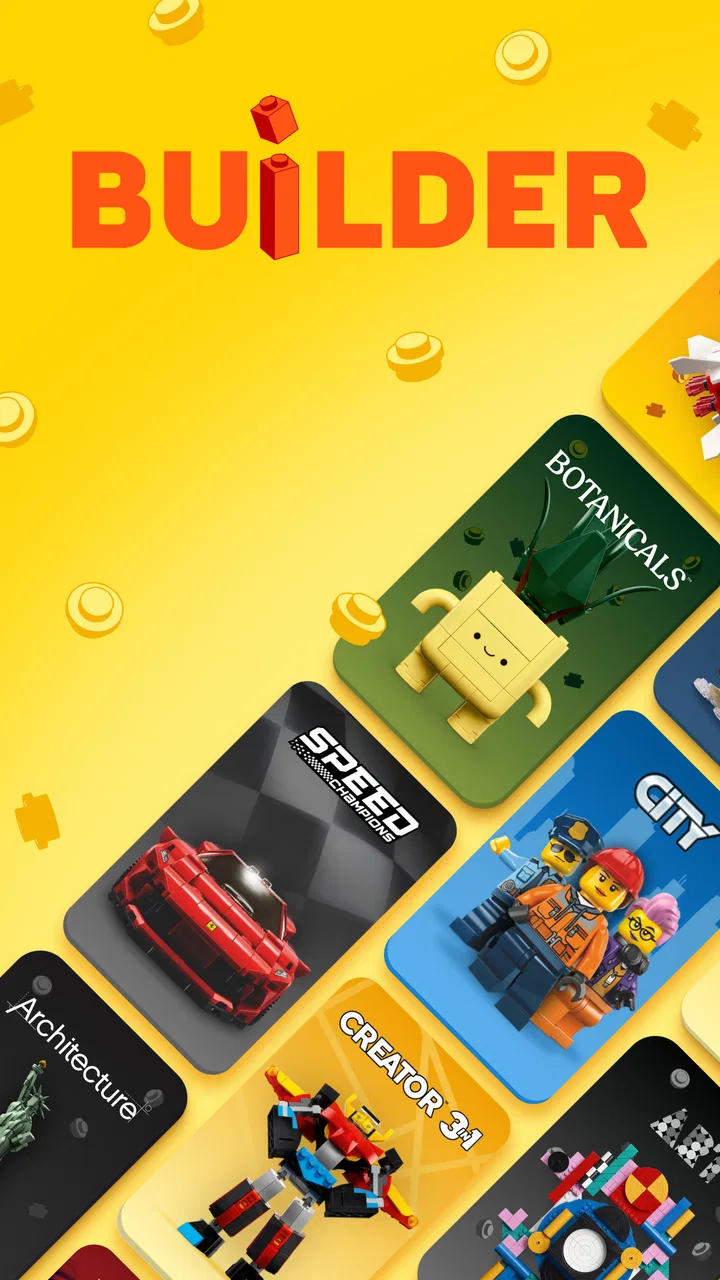
The app comes from LEGO System A/S and sits in the entertainment category, although its practical purpose is much more focused than that label suggests. Its central job is to let me scan compatible sets, keep track of builds, and work through digital instructions with an interactive presentation. The free price makes it easy to try alongside a set without adding another purchase to the hobby.
You May Also Like

 Blood Strike: 2.5 Anniversary
Blood Strike’s Loadouts Turn Every Drop Into a Tactical Gamble
A close look at Blood Strike’s custom loadouts: how fast access to signature weapons reshapes its battle royale rhythm, rewards preparation, and narrows the gap between fights.

 Pandora - Music & Podcasts
Pandora’s Music Is Easy to Start, but Harder to Recover
Pandora’s strength is its low-effort path from a seed to a station. Its weak spot is how much confidence it asks you to place in connection, setup, and quiet recovery.

 8 Ball Pool
 Is Built on Rivalries, Rematches, and Routine
A close look at the rivalries, rematches, shared routines, and unanswered safety questions that turn a quick pool match into a persistent mobile community.

 Samsung Music
’s Quiet Strength Is Playing What You Already Own
Its reach comes less from spectacle than from dependable access to a personal library. That simplicity is both the app’s strongest retention engine and its ceiling.

 AccuWeather: Weather Radar
AccuWeather Review: A Quick, Clear Forecast for Everyday Decisions
For everyday plans, the best forecast is the one you can understand quickly. AccuWeather makes rain timing, radar, and local conditions easy to act on, with a few trade-offs.

 Hill Climb Racing
Why Hill Climb Racing Still Turns Crashes Into One More Run
A tiny car, a bumpy hill and one more upgrade: Hill Climb Racing keeps resurfacing because its simple chaos makes every near-miss feel personal.
More From Our News Desk



The first difference I noticed was how much easier it is to control the instructions. A printed manual is dependable, but it stays at one angle and takes up space. On a phone or tablet, I can move through the steps without worrying about folding a page, losing my place, or accidentally covering part of a diagram with my hand. That is a small improvement during a short build, but it becomes more meaningful during a long session.
The three-dimensional approach is particularly useful when a step is visually confusing. LEGO diagrams are generally clear, yet some pieces appear to overlap in ways that make their position difficult to judge. Being able to inspect the model from another viewpoint gives me a better sense of where a beam, panel, or connector belongs before I press it into place. This does not remove the need to pay attention, but it reduces guesswork.
I also like the way the app supports a more orderly building habit. Instead of searching through a shelf or a pile of manuals, I can use the digital space to return to a set I have already started. That matters when a project is interrupted by dinner, school, work, or simply a shortage of patience. I can leave the bricks sorted and come back later with less risk of forgetting where I stopped.
Scanning is convenient, but preparation still matters
Scanning a set is one of the most appealing parts of the experience because it connects the physical box with the digital instructions. In practice, I get better results when the set information is easy to see and the camera has enough light. A dim room, a reflective surface, or a box at an awkward angle can turn a quick scan into a minor chore.
That is not a serious flaw in the app, but it is worth knowing before handing a phone to a child and expecting everything to happen instantly. I would scan the set myself first, then let the child concentrate on the building. For a family sharing one device, this also prevents the early setup step from interrupting the fun.
Once the set is available, the digital format is more than a visual novelty. I can use it to keep several projects within reach and decide which one to continue. This is helpful for builders who own more than one set or who alternate between a quick model and a larger weekend project. The benefit is organizational rather than dramatic, but it is exactly the kind of convenience that becomes valuable through repeated use.
Why the interactive instructions work well
The strongest part of LEGO Builder is the extra control over difficult diagrams. I do not need that help on every page. Many steps are already obvious, and experienced builders may move quickly through them. The advantage appears when a piece is hidden behind another element or when the orientation is easy to misread.
In those moments, I can slow down and examine the digital model instead of dismantling a section later. That is a real trade-off: spending a few seconds checking the placement is usually faster than discovering several steps afterward that a small part was reversed. The app therefore works best as a precision aid, not as something that makes the building process automatic.
Screen size makes a noticeable difference. A phone is perfectly usable when I am building at a desk and can keep it close, but a larger display feels more comfortable for detailed models. On a small screen, I may need to reposition the device or zoom my attention in a way that breaks the rhythm of building. If two people are following the same instructions, a tablet is also easier to share than a phone.
There is another practical issue: a digital guide depends on the device being available and usable. A printed manual can sit beside the bricks without notifications, battery concerns, or an accidental screen lock. I still prefer paper for a relaxed build when I want to keep technology out of the session. The app earns its place when clarity, storage, or continuity matters more than simplicity.
A realistic everyday building session
Imagine a child starting a set after school and stopping before the model is finished. With a paper booklet, the family has to remember the page, protect the loose pieces, and find the manual again later. With LEGO Builder, I can leave the project in its digital collection, keep the current parts together in a tray, and reopen the instructions when there is time.
That workflow is especially useful in a shared home. One person can build in the afternoon, another can continue in the evening, and neither has to guess which booklet belongs to which box. The app does not solve the physical problem of sorting bricks, but it reduces one source of confusion. I would still recommend using small containers or trays for unfinished sections; digital instructions cannot stop a stray piece from disappearing under the sofa.
For an adult collector, the same routine has a different benefit. I can move between a display-focused model and a more casual build without carrying multiple manuals around. If I take a set to another room or build away from the original packaging, having the instructions associated with the project is more convenient than relying on a booklet that may be stored elsewhere.
Useful habits that are easy to overlook
One of my most useful habits is checking the model from a different angle before attaching a part that will become difficult to reach. I do this especially when a step involves mirrored sections. The purpose is not to admire the model; it is to confirm orientation while the correction is still easy.
A second habit is using the app as a pause point rather than rushing through every instruction. When I reach a repetitive section, I stop after completing a small group of steps and compare the physical model with the digital view. This catches missing pieces early and keeps a minor mistake from spreading through the next section.
A third tip is to separate the digital task from the physical sorting task. I keep the next group of bricks in a small area instead of spreading every piece across the table. The app can show me what to use, but it cannot make a large pile easier to search. Combining the interactive guide with simple physical organization gives a better result than expecting the app alone to create order.
For children, I would also use the app as a teaching aid rather than a substitute for supervision. The ability to inspect a model can encourage independent problem-solving, but younger builders may still need help identifying pieces or recovering from a wrong step. The interactive view is most valuable when it helps them understand why a part belongs in a certain position.
What it does better than the usual alternatives
The obvious alternative is the printed instruction booklet. Paper wins for reliability, zero setup, and a distraction-free experience. It is also easier to pass around when several people are building together at a table. I would choose it for a short, familiar set or for a child who does not use a personal device.
LEGO Builder wins when the physical booklet feels limiting. Its interactive presentation is better suited to checking depth, orientation, and hidden connections. It also gives me a more convenient way to keep track of projects than a stack of manuals. The difference is not that one format is universally superior; each solves a different annoyance.
Another alternative is searching for general building videos or unofficial digital guides. Those may be useful when someone wants demonstrations or creative modifications, but they are less direct for completing the original set. LEGO Builder keeps the focus on the model and its official instructions. I prefer that focused approach when my goal is to finish accurately rather than watch someone else build.
The app is also different from LEGO entertainment apps that center on stories, characters, or play away from the bricks. This one is practical and closely tied to a physical construction activity. If I want a game, it is the wrong download. If I want help turning a box of parts into the intended model, its narrow purpose is a strength.
Where the experience falls short
The biggest limitation is that digital convenience can introduce its own friction. I have to prepare the device, keep it positioned where I can see it, and avoid letting the screen become a distraction. A paper booklet is more immediate: open it, find the page, and build. For some people, that simplicity will remain preferable.
The app also cannot replace good physical organization. If pieces from multiple sets are mixed together, the digital instructions will not identify the correct brick sitting somewhere in the pile. The same is true when a model has been partially dismantled and parts are missing. The guide can show the intended construction, but it cannot account for every condition of a real collection.
Small screens can make detailed viewing less comfortable, and a phone may need frequent repositioning during a longer session. I would not call that a deal-breaker, but it affects whether the app feels helpful or merely adequate. Builders who dislike handling a device with brick-covered hands may prefer the booklet even when the digital view is technically clearer.
There is also a learning curve in deciding when to use the interactive view. If I inspect every uncomplicated step from every angle, the process becomes slower rather than faster. The best results come from using the extra control selectively: check uncertain orientations, confirm hidden connections, and move on when the diagram is already obvious.
Device support, cost, and suitability
The app is free and carries an Everyone content rating, which makes it approachable for families and younger builders. It supports devices running at least version 8.1 of its operating system. Before planning a shared building station, I would check that the intended phone or tablet meets that requirement and has a screen comfortable enough for the model being built.
Its current version is 4.2.15, and the app has been available since December 6, 2019. Those details matter less than the day-to-day experience, but they show that this is an established companion rather than a brand-new experiment. I would still keep the printed instructions nearby for a special build, especially if the device belongs to someone else or may not be available throughout the project.
The app has reached over 10 million installs, with an average rating of 4.8 from around 240 thousand ratings and roughly 5.1 thousand written reviews. I do not treat popularity as proof that every builder will enjoy it, but the response fits my own experience: the concept is easy to understand, and its main benefits become apparent during real construction rather than in a quick glance.
Who should use it and who can skip it
I would recommend LEGO Builder to families that share sets, adults who return to builds over several days, and builders who often make orientation mistakes with complex sections. It is also a good fit for anyone who wants to reduce the number of paper manuals on a shelf or who prefers having several projects organized in one place.
I would be more cautious about recommending it to someone who buys only occasional small sets and enjoys the traditional booklet. That person may gain little from scanning and managing projects. I would also suggest skipping it if the main goal is screen-free play, or if the available device has a cramped display that makes the instructions harder to follow than paper.
For children, the decision depends on the building context. A tablet placed beside the bricks can encourage independence, especially when the child can inspect a confusing step. A phone held in the hand may be less practical and more distracting. In my view, the best family setup is an adult handling the initial scan and device placement, followed by the child using the instructions at their own pace.
My final recommendation
LEGO Builder succeeds because it addresses real annoyances in building: unclear angles, interrupted projects, scattered manuals, and uncertainty about where a piece belongs. Its strongest feature is not simply that the instructions are digital; it is that I can use the model view to check construction from a more useful perspective when the printed page leaves room for doubt.
It is not essential for every LEGO fan, and I would not use it to replace the calm simplicity of paper in every situation. The device requirement, screen handling, scanning setup, and need for separate physical sorting all remain part of the experience. Still, those drawbacks are manageable, especially when the app is treated as a precision tool rather than as the entire building environment.
My recommendation is clear: use LEGO Builder if you want more control and continuity while building, particularly with larger or interrupted projects. It is free, focused, and genuinely helpful when a three-dimensional model is difficult to interpret from a flat page. For a hands-on hobby that sometimes becomes surprisingly technical, this app gives me just enough digital assistance without taking the bricks out of my hands.
FAQs for LEGO® Builder: 3D Instructions
01What is LEGO® Builder: 3D Instructions?
LEGO® Builder: 3D Instructions is an interactive app designed to provide detailed, step-by-step building instructions for various LEGO sets. It uses 3D models to enhance the building experience, allowing users to rotate and zoom in on pieces. This app is ideal for both beginners and experienced builders who want a digital guide.
02Is LEGO® Builder: 3D Instructions free to download and use?
Yes, LEGO® Builder: 3D Instructions is free to download on both Android and iOS platforms. While the app itself doesn’t charge for basic usage, some advanced features or specific set instructions might require in-app purchases. Always check the app store for the latest information on pricing and features.
03What devices are compatible with LEGO® Builder: 3D Instructions?
LEGO® Builder: 3D Instructions is compatible with most modern smartphones and tablets running on Android or iOS. However, to ensure optimal performance, it's recommended to use devices with recent operating systems and sufficient processing power to handle 3D graphics. Check the app’s requirements in the app store for specifics.
04How user-friendly is the LEGO® Builder: 3D Instructions app?
The app is designed with a user-friendly interface that is intuitive for both children and adults. It features easy navigation and clear 3D visuals, making it simple to follow along with the building instructions. Users can zoom, rotate, and interact with the models to get a better understanding of each step.
05Can I find instructions for all LEGO sets in the app?
While LEGO® Builder: 3D Instructions offers a wide range of building instructions for various sets, not every LEGO set may be available. The app is frequently updated with new instructions, so it’s a good idea to regularly check for updates or contact LEGO customer support if you can’t find a specific set.
Pros
- Intuitive 3D building interface
- Wide range of LEGO sets included
- Offline mode available
- Regular updates with new sets
- Child-friendly navigation
Cons
- Some sets require in-app purchases
- Occasional lag on older devices
- Limited customization options
- Requires significant storage space
- No multiplayer build feature

LEGO® Builder: 3D Instructions
Gallery